By the Translationary Editorial Team | 6 Min Read | Category: [Digital Accessibility / Compliance]
Digital content is how the world works, shops, and learns. However, when websites and apps aren’t designed with inclusivity in mind, they create invisible barriers. With 1.3 billion people worldwide (16% of the population) experiencing significant disability, accessibility is no longer a “nice-to-have”—it is a global necessity.
At Translationary, we believe access should not stop at language. True communication means making digital content usable for everyone, including those relying on screen readers, keyboard navigation, and captions.
What Is Accessibility Remediation?
Accessibility remediation is the structured process of identifying and correcting digital barriers that prevent people with disabilities from fully accessing content.
Whether it’s a corporate website, a mobile app, or a localized PDF, remediation ensures that your assets work seamlessly with assistive technologies. Common fixes include:
- Missing Alt Text: Adding descriptions to images for screen readers.
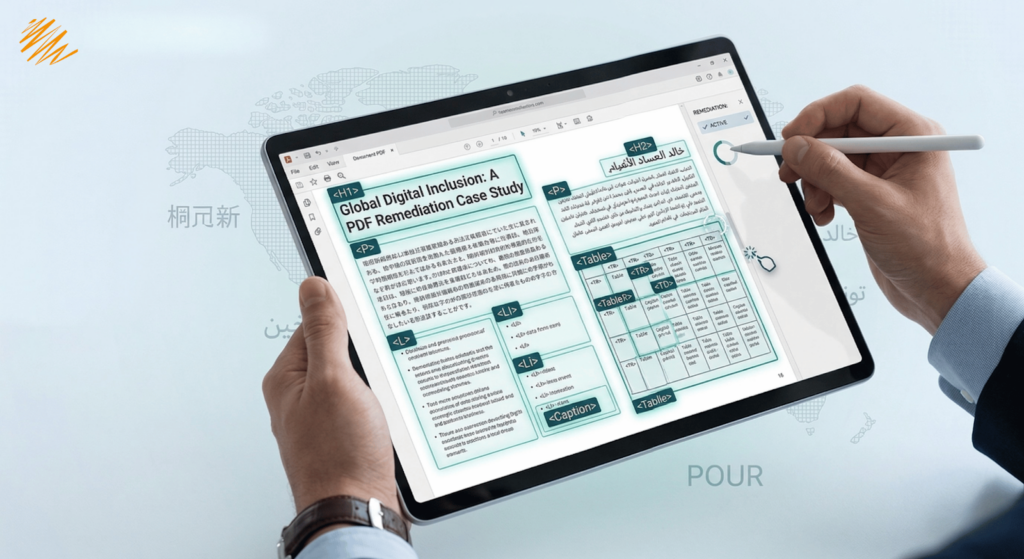
- Logical Reading Order: Ensuring PDFs are “tagged” so they are read in the correct sequence.
- Color Contrast: Adjusting text and background colors for visual readability.
- Unlabeled Forms: Ensuring “Contact Us” fields are identifiable by software.
The Global Standard: Understanding WCAG
The Web Content Accessibility Guidelines (WCAG) are the gold standard for digital inclusion. The current W3C recommendation, WCAG 2.2, expands on previous versions to include focus appearance and target sizes.
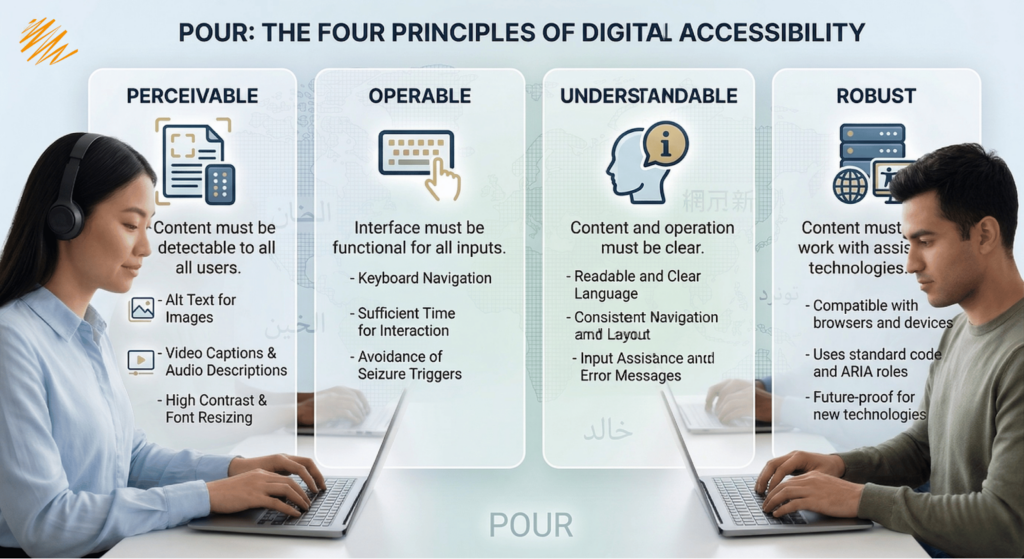
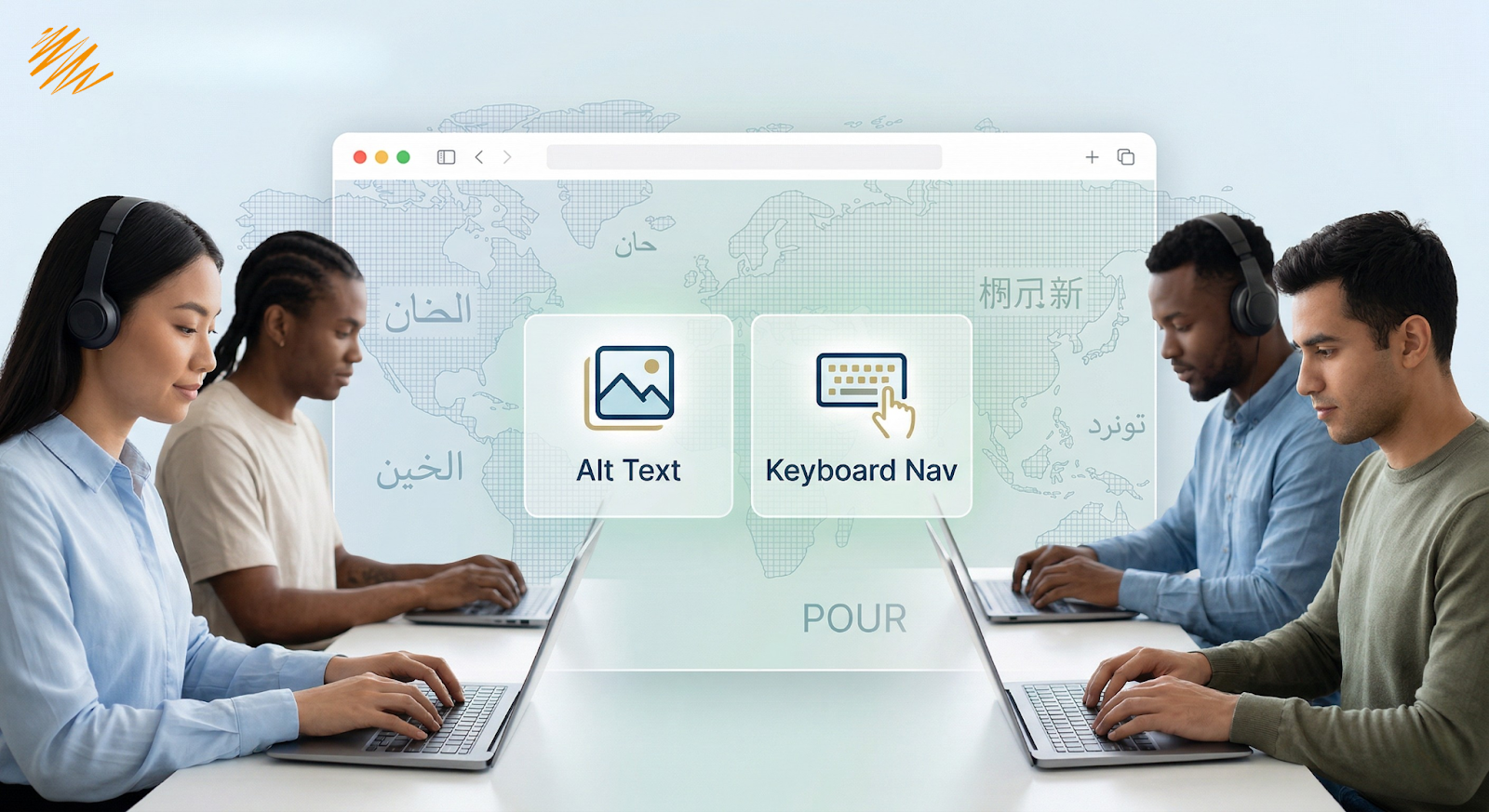
To make remediation easy to understand, the framework uses the POUR acronym:
| Principle | Meaning |
| Perceivable | Content must be visible/audible (captions, alt-text, structure). |
| Operable | Users must be able to navigate, primarily via keyboard. |
| Understandable | The interface and language must be clear and predictable. |
| Robust | Content must work across different browsers and future technologies. |
Section 508 and Legal Compliance Requirements
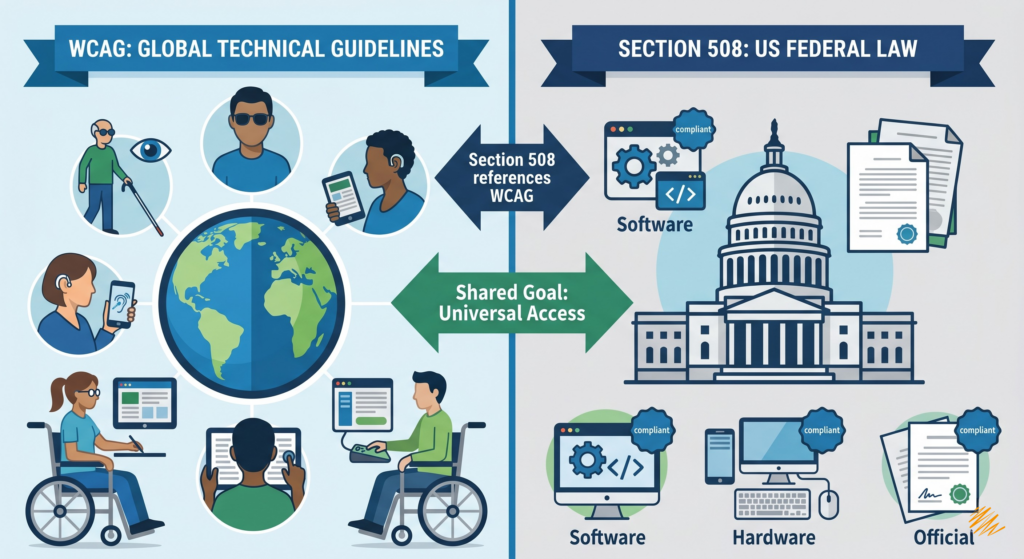
While WCAG provides the “how,” laws like Section 508 provide the “must.”
- Section 508: Requires U.S. federal agencies to make their electronic and information technology accessible (aligning with WCAG 2.0 Level AA).
- 2024 Title II Rule: The DOJ now requires state and local government web content and mobile apps to meet WCAG 2.1 Level AA on strict timelines.
For organizations in regulated industries or those serving public-sector clients, accessibility is a core business requirement.
4 Reasons Accessibility Remediation is Good for Business
1. Strengthens Technical SEO
Accessibility and SEO are two sides of the same coin. Google’s crawlers act similarly to screen readers; by improving site structure, image context (alt-text), and crawlability, you are strengthening the foundation search engines use to index your site.
2. Expands Your Market Reach
When your content is inaccessible, you are effectively “closing the door” on 16% of the global market. Inclusive design reduces friction for all users, including those with temporary or age-related limitations.
3. Improves General User Experience (UX)
Captions benefit people in noisy environments; high contrast helps those in bright sunlight; clear navigation helps everyone. Good accessibility is simply good design.
4. Builds Brand Trust
Prioritizing accessibility demonstrates corporate social responsibility. It shows clients and partners that you value quality, equity, and professional readiness.
The Translationary Edge: Multilingual Accessibility
Accessibility becomes exponentially more complex when content spans multiple languages. A translated PDF is not truly accessible if the “tags” weren’t localized, or if a video’s foreign-language subtitles aren’t screen-reader compatible.
Translationary understands the overlap between language and access. We don’t just translate words; we remediate the structure to ensure your global message is heard by everyone.
Our Accessibility Services Include:
- PDF & Document Remediation: Correcting tagging and reading orders.
- Multilingual Multimedia Support: Captions, transcripts, and audio descriptions.
- Localization-Aware Testing: Ensuring translated assets remain compatible with assistive tech.
- Asset Correction: Reviewing digital files for Section 508 compliance.
Frequently Asked Questions (FAQ)
Q: Is accessibility remediation a one-time fix? A: Ideally, it should be an ongoing part of your content lifecycle. As you update your site or upload new documents, they should be audited for compliance.
Q: Does WCAG compliance apply to mobile apps? A: Yes. Under the 2024 Title II ruling and general WCAG 2.2 guidelines, mobile apps are subject to the same accessibility standards as websites.
Q: Can AI handle all my accessibility remediation? A: While AI tools are great for initial audits, human expertise—especially from a partner like Translationary—is required to ensure nuances in language and complex document structures are truly functional for real users.
Build a Stronger Foundation for Inclusive Communication
Accessibility remediation is about more than avoiding legal risk—it’s about making sure your brand works for the widest possible audience. Ready to make your digital content accessible across every language? Contact Translationary Today to discuss your remediation needs.