Blog

Person watching a training video with captions on a laptop while reading the transcript beside it
Share this blog
Accessibility
Localization

Captions and Transcripts: Accessibility and Content Value

Captions and transcripts are often treated as a final checkbox on a video project. In practice, they do two jobs at once. They make audio and video content accessible to people who cannot hear it, and they make that content easier for everyone else to find, search, and reuse.

In this guide, we explain how captions and transcripts differ, when each one is needed, and how they connect to accessibility requirements and multilingual content.

Person watching a training video with captions on a laptop while reading the transcript beside it

Captions and transcripts serve different needs, and most videos benefit from both.

Captions and Transcripts: What Is the Difference?

Captions are synchronized text that appears on screen while a video plays. According to the W3C Web Accessibility Initiative, captions convey both speech and important non-speech sounds, such as music cues or a door closing. A transcript, however, is a separate text version of the content. Readers can scan it, search it, or read it without playing the media at all.

Subtitles are a third format, and people often mix them up with captions. Subtitles usually translate the dialogue for viewers who read another language. As a result, a video aimed at several markets may need all three.

Format What it is Best for
Captions Timed on-screen text for speech and key sounds Viewers who are deaf or hard of hearing, or watching without sound
Transcript A full text version of the audio or video Reading, searching, reference, and audio-only content such as podcasts
Subtitles Translated dialogue shown on screen Viewers who read a different language

Why Captions and Transcripts Matter for Accessibility

Accessibility is the most direct reason to provide them. A video without captions leaves out anyone who cannot hear the audio. Likewise, a podcast without a transcript leaves out the same audience.

Accessibility standards address this directly. The Web Content Accessibility Guidelines (WCAG) include success criteria for captions on pre-recorded video, and for text alternatives to audio-only and video-only content. Moreover, the Section 508 standards in the United States incorporate WCAG 2.0 Level AA. For that reason, organizations that sell to U.S. federal agencies, or that work with them, often need to take these criteria seriously. We cover that angle in our guide to Section 508 compliance for e-learning.

Requirements vary by country, sector, and content type. Therefore, check which rules apply to your organization before you plan the work.

The Content Value of Captions and Transcripts

Accessibility is not the only benefit. In fact, the W3C describes accessible media as essential for some people and useful for all. Four practical gains stand out.

  • Silent viewing. Many people watch video in quiet places or with the sound off. Captions keep your message readable.
  • Searchable text. Search engines read text, not audio. A transcript on the page gives them more of your content to work with.
  • Content reuse. A transcript can become a blog post, a quote for social media, or a help article.
  • Better comprehension. Reading along helps with complex terms, names, and accents, especially for learners.

From Transcript to Subtitles in Other Languages

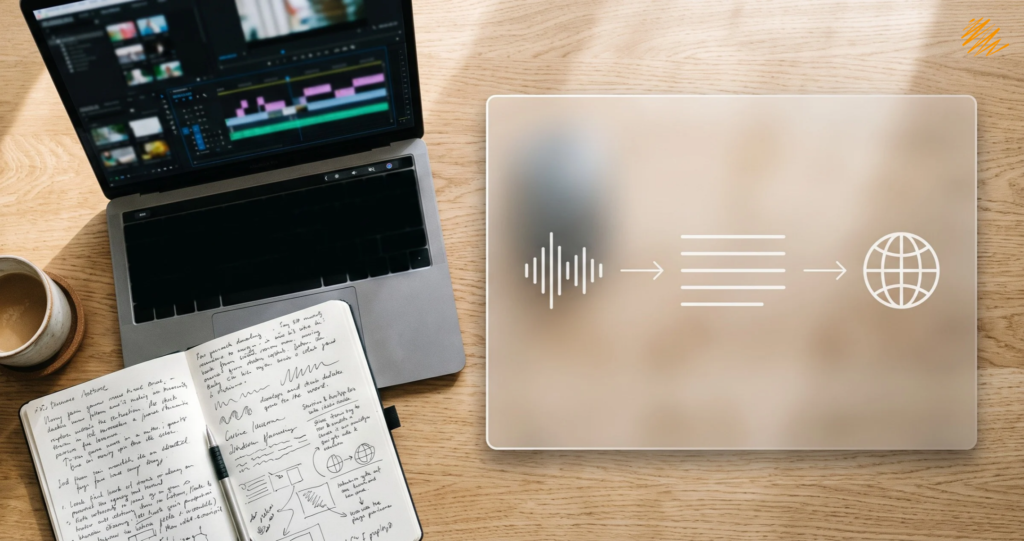
A clean transcript is also the starting point for multilingual video. First, the transcript captures what was said. Then, translators adapt it for each language. Finally, the translated text is timed and placed on screen as subtitles. Because every step builds on the one before, mistakes in the transcript carry through to every language.

That is why accuracy matters at the first step. Our guide to multilingual SEO shows how translated text also supports search visibility in each market. For the full workflow, see our article on how transcription, subtitling, and translation work together.

A Quick Checklist for Captions and Transcripts

Before you publish a video or podcast, run through this list.

Captions match the audio, including names, terms, and important sounds
Captions are in sync and easy to read, with short lines and enough time on screen
A transcript is available next to the media, or linked from it
Automatic captions have been reviewed and corrected by a person
The player lets viewers turn captions on and use them with a keyboard
A plan exists for subtitles in every language your audience needs

When to Bring in a Specialist

Accurate captions and transcripts take care, especially with technical vocabulary, several speakers, or more than one language. For this reason, many teams hand the work to a specialist. Our audio and video transcription basics guide explains what to expect from the process, and the audio transcription service page shows how we can help.

Source: W3C Web Accessibility Initiative, Making Audio and Video Media Accessible.

Planning video or audio content for more than one market?

Our team can help with scripts, subtitles, and captions so your content works in every language.

Explore Multimedia Localization

Or talk to our team about your project.

Related

Blogs

Marketing team reviewing multilingual SEO results across language versions of a website
Multilingual SEO starts before the first page is translated.
Localization
A translated website does not rank on its own. Multilingual SEO is the work that helps search engines find, understand, and show each language version to the right people. Without it, a well-translated site can stay invisible in the markets it was built for. In this guide, we cover the technical setup, the content choices, and the mistakes to avoid. It is written for marketing and website teams planning a multilingual launch. Multilingual SEO starts before the first page is translated. What Multilingual SEO Includes Multilingual SEO has three layers. First, the site structure tells search engines where each language version lives. Second, the content has to read naturally and match how people search in each market. Finally, the signals around the page, such as titles, descriptions, and links, must also be in the right language. Because most teams start with the structure, we begin there. Choose a URL Structure for Multilingual SEO Each language needs its own address. You can organize those addresses in three common ways. Option Example Worth knowing Country domain example.de Gives a clear country signal, but each domain is a separate site to maintain Subdomain de.example.com Keeps each language separate while staying under your main…
October 27, 2026
Hands on a keyboard navigating an online course for Section 508 compliance
A practical guide for government and enterprise training teams.
Accessibility
A training course can look polished and still lock out part of its audience. For example, a learner who uses a keyboard, a screen reader, or captions may hit a wall in the first lesson. Section 508 compliance for e-learning is about removing those walls before the course launches. This guide covers who Section 508 applies to and the requirements that matter most in a course. It also shows how to audit one before launch. It is written for government and enterprise training teams, and it is general information, not legal advice. Section 508 compliance for e-learning starts with testing the course as a learner would use it. What Section 508 Means for E-Learning Section 508 requires US federal agencies to make their electronic and information technology accessible. Employees and members of the public with disabilities must get access comparable to everyone else's. As a result, online courses that an agency develops or buys fall within its scope. Key facts The current standards took effect on January 18, 2018, and align with WCAG 2.0. Its technical standards incorporate WCAG 2.0 Level AA for web and other electronic content. Federal acquisition rules require agencies to build these standards into their purchase…
October 22, 2026
Desk with laptop showing a video timeline for multimedia localization planning
From transcript to subtitles in the right order.
Localization
A video feels finished once it is edited. For a multilingual audience, the real work starts there. Multimedia localization turns one recording into versions that work in other languages and cultures. It depends on three steps done in the right order: transcription, translation, and timed text such as subtitles. This guide explains each step, how they connect, and what to prepare before you ask for a quote. Multimedia localization starts with an accurate transcript. What Multimedia Localization Includes Multimedia localization adapts audio and video content for another language and market. That covers scripts, dialogue, subtitles, and captions. It can also cover graphics and audio that need a local fit. As a result, the work sits between translation and media production. However, two terms cause confusion. The W3C's guidance on accessible audio and video describes captions as text that conveys both speech and non-speech sounds. In everyday use, subtitles translate the dialogue for viewers who read another language. How Transcription, Translation, and Subtitling Work Together Each step feeds the next. Here is how a typical project flows from source file to finished text. Step What it produces Why it comes here 1. Transcription Accurate source-language text, often with timestamps and speaker…
October 20, 2026